Website Development, AI & SEO Agency
London: 116 Cavell Street, E1 2JA · Dhaka: Rd #24, H #10, Rupnagar, Mirpur-1216

SEO · Explainer
How Google Search Works: Crawling, Indexing and Ranking in Plain English
By Shaiful Mozumder · Published 25 November 2026
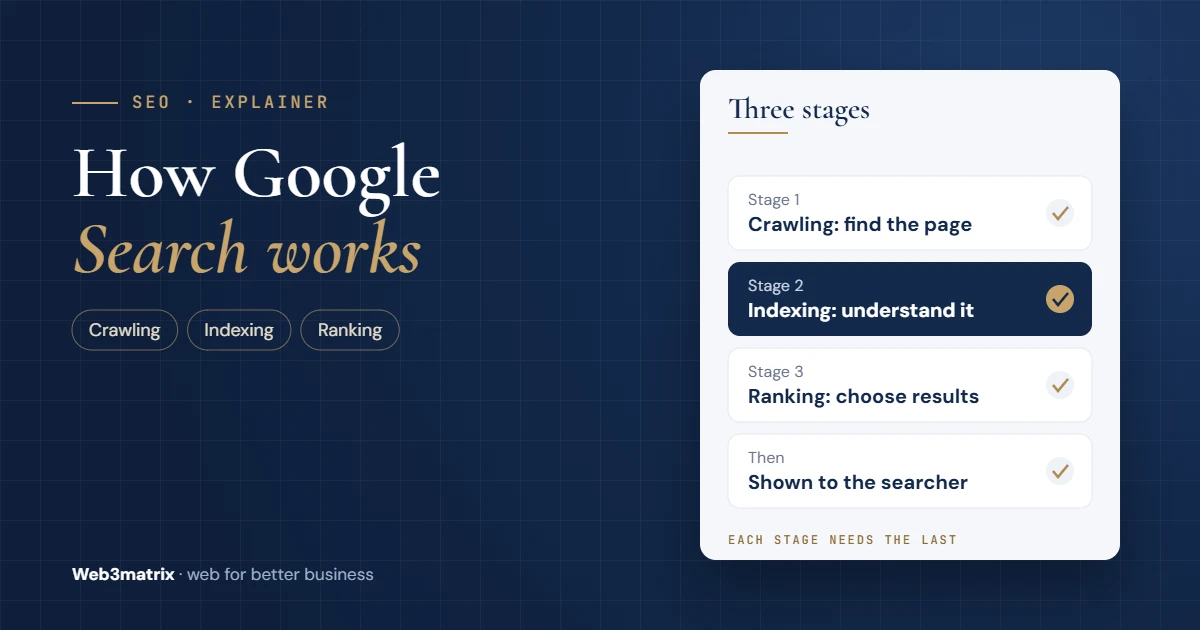
Think of Google as a librarian with an unusual job. First it has to find every book that exists, then read and catalogue each one, then hand you the right one the moment you ask, from hundreds of billions of choices [3]. Google calls these three jobs crawling, indexing and serving, and each one is a place where a business website can get stuck.
This guide explains how Google Search works, stage by stage, in plain English: how Google finds your pages, what decides whether it keeps them, and how it chooses which ones to show. It is part of our wider guide to how websites get found, which also covers AI Overviews, ChatGPT search and local results.
Key takeaways
- Google Search works in three stages: crawling (finding pages), indexing (understanding and storing them) and serving (choosing which to show) [1].
- Google finds most new pages by following links, and a sitemap helps it find the rest [1].
- Crawling does not guarantee indexing; Google says plainly that indexing isn’t guaranteed [1].
- To rank results, Google looks at the meaning of the search, relevance, quality, usability and context such as location [3].
- No one can pay Google for a higher organic ranking or more frequent crawling [1][3].
- A page can be indexed and still not shown, usually because it is not relevant enough to the search or its quality is low [1].
How does Google Search work?
Google Search works in three stages. Crawlers download pages they find on the web, Google analyses those pages and stores them in its index, and when someone searches, Google returns the indexed pages it judges most relevant and useful [1]. It is fully automated: no one at Google adds your site by hand.
| Stage | What Google does | Where a site can get stuck |
|---|---|---|
| 1. Crawling | Finds pages and downloads them | No links point to the page, robots.txt blocks it, or the server struggles |
| 2. Indexing | Renders, reads and stores the page | A noindex rule, duplicate content, or low quality |
| 3. Serving | Chooses and ranks pages for each search | The page is less relevant or less useful than others for that search |
Each stage depends on the one before it. A page that is never crawled cannot be indexed, and a page that is not indexed cannot rank anywhere, including in Google’s AI features.
Stage 1: crawling, or how Google finds your pages
Crawling is how Google discovers pages. Its crawler, Googlebot, mostly finds new pages by following links from pages it already knows, such as a link from your blog page to a new article. Site owners can also list their pages in a sitemap [1].
Google does not crawl everything it finds, or crawl every site at the same pace. An algorithm decides which sites to crawl, how often and how many pages to fetch from each, and Googlebot slows down if a server responds with errors, so it does not overload the site [1]. Pages blocked by robots.txt, or hidden behind a login, may not be crawled at all [1].
“Crawling isn’t magic; it’s a highly orchestrated, scaled exchange of bytes.”
Two details from Google’s own explanation of crawling are useful for business owners. “Googlebot” is no longer a single program: it is the Google Search user of a shared crawling platform that other Google products also use. And Googlebot fetches only the first 2MB of an HTML file; anything after that cut-off is not fetched, rendered or indexed [2]. Most business pages are nowhere near that size, but very long pages built with heavy page builders are worth checking.
Professional tip: Link every important page from at least one other page on your site, ideally from a menu or a relevant article. A page that nothing links to, sometimes called an orphan page, relies entirely on the sitemap to be found.
Stage 2: indexing, or how Google understands and stores pages
Indexing is where Google works out what a page is about. It renders the page using a recent version of Chrome, runs any JavaScript it finds, and analyses the text, key tags such as the title, image alt text, images and videos [1].
Google also groups similar pages together and picks one, the canonical, as the version most representative of the group. It then records signals about that page, such as its language, the country it is relevant to and how usable it is [1]. This is why duplicate versions of the same page (with and without “www”, or with tracking codes in the address) matter: you want Google to choose the version you intended.
Indexing is not automatic. Google states that indexing isn’t guaranteed, and lists low-quality content, robots meta rules that disallow indexing, and site designs that make indexing difficult as common reasons pages are left out [1].
From our own site
On 1 November 2026, the page sitemap that Rank Math generates for web3matrix.com listed 69 pages, and the sitemap index is referenced in our robots.txt so every crawler can find it. We also chose one preferred address for the whole site, https://web3matrix.com without “www”, so that Google has a single version of each page to index. Neither step makes Google index a page, but both remove reasons for it not to.
Stage 3: ranking and serving, or how Google decides what to show
When someone searches, Google picks pages from its index and ranks them. It says the key factors are the meaning of the search, the relevance of the content, its quality, its usability and the searcher’s context [3]:
- Meaning: what the person is actually looking for, which Google tries to work out first.
- Relevance: whether the page contains information that matches the search, starting with the same words.
- Quality: signals of expertise, authoritativeness and trustworthiness.
- Usability: for example, content that works well on a phone and loads quickly.
- Context: the searcher’s location, past searches and settings.
Behind these factors sit a number of named ranking systems. Google describes them in its ranking systems guide [4]:
| Ranking system | What it does |
|---|---|
| BERT | Helps Google understand how combinations of words express meaning and intent |
| Link analysis and PageRank | Uses how pages link to each other to judge what they are about and how helpful they may be |
| Passage ranking | Looks at individual sections of a page to judge how relevant it is |
| Freshness systems | Show newer content when a search calls for it |
| Original content systems | Favour original reporting over pages that only repeat it |
| Spam detection systems | Identify spam content and behaviour |
| Site diversity system | Generally shows no more than two results from the same site at the top |
Google is clear that ranking cannot be bought: advertisers cannot pay for better organic placement, and Google does not accept payment to crawl a site more often [1][3]. Ads appear separately and are labelled.
How Google Search works, step by step
Here is the whole journey of a single page, from publication to appearing in results.
Text version of this workflow
- 1. You publish a page — The page goes live
- Google finds the address — Links from other pages; Or your sitemap
- Googlebot crawls it — If robots.txt allows; And the server responds
- Google renders it — Recent Chrome; Runs JavaScript
- Google decides to index — noindex, duplicates; Quality, canonical
- Someone searches — Google works out the meaning
- 7. Ranked results shown — Relevance, quality; Location, language, device
- You publish a page. It goes live on your website.
- Google discovers the address. Usually through a link from another page or from your sitemap.
- Googlebot crawls it. If robots.txt allows it and the server responds, Google downloads the page.
- Google renders it. It runs the page in a recent version of Chrome, including any JavaScript.
- Google decides whether to index it. It checks for noindex rules, duplicates and quality, and chooses a canonical.
- Someone searches. Google works out what they mean.
- Google ranks and shows results. Relevant, useful pages appear, adjusted for the searcher’s location, language and device.
How long does each stage take?
There is no fixed timetable. Google says crawling a new page can take anywhere from a few days to a few weeks, and that requesting a crawl does not guarantee the page will be included [6]. Changes to existing pages can take effect within hours or take several months [5].
More detailed figures came from a talk by Google analyst Gary Illyes at Search Central Live in Barcelona in October 2026. According to an attendee’s recap, reported by PPC Land, the typical times he showed included [7]:
| Process | Typical time | Slowest |
|---|---|---|
| Discovering a new URL | About 20 hours | Weeks, or never |
| Processing a sitemap | About 24 hours | Up to 14 days, or never |
| Indexing, end to end | About 1.5 hours | Months, or never |
| Updating a title or snippet in results | 1 to 2 days | Several weeks to months |
These come from a second-hand account rather than a Google publication, and no method was given, so treat them as a guide to scale rather than a promise. The pattern is still useful: most steps are quick for a healthy site, and the slowest cases are usually sites Google sees little reason to revisit.
Professional tip: After you publish an important page, use the URL Inspection tool in Google Search Console once to request indexing, then leave it alone. Google says repeated requests for the same address do not speed anything up.
Why Google might crawl a page but not show it
Google gives three reasons a page can be indexed yet not appear: its content is not relevant to what people search for, its quality is low, or robots meta rules prevent it from being shown [1]. Separately, pages can be crawled but never indexed, which Search Console’s page indexing report records.
For a business site, the usual culprits are:
- Thin or near-duplicate pages, such as several location pages with the same text and only the town name changed.
- A noindex instruction left over from development, often the WordPress “Discourage search engines” setting.
- Pages that answer a different question from the one people search, for example a services page that never says where you work or what it costs.
- Content hidden behind interactions that Google cannot trigger, such as text that only loads after a click.
Find where your page is getting stuck
Tick what is true for the page you are worried about. The checklist groups the checks by stage, so the first unticked item usually shows where to start.
Interactive checklist
Where is your page getting stuck?
Tick what is true for one page you want found. The result updates as you go.
Your result
Tick the statements above
Each statement is weighted; the noindex check and matching the search count the most.
A quick editorial guide based on the checks in this article, not an SEO audit. Search Console shows what Google actually recorded.
How AI is changing Google Search
Google’s AI Overviews and AI Mode run on the same foundations. Google says there are no additional requirements to appear in them: a page must be indexed and eligible to be shown with a snippet, so everything in this guide applies to AI answers too [8]. The difference is in what happens after ranking, when Google’s AI summarises several sources into one answer and links to some of them.
That makes the stages above more important rather than less. If a page cannot be crawled or indexed, it cannot be a source for an AI answer either. You can also use an AI assistant to spot likely problems on a page before Google does.
I want to check whether Google can crawl and index one of my web pages. Here is the page address: [paste URL]. Here is the page's visible text: [paste text], and here is my robots.txt: [paste contents]. Tell me: 1) anything in robots.txt that would block this page, 2) whether the page looks thin or very similar to other pages a site like mine might have, 3) whether the title and first paragraph make it clear what the page is about and who it is for, and 4) what a searcher would type to find it. Do not guess at Google's ranking; flag anything you are unsure of.
Works in ChatGPT, Claude, Gemini or Copilot. Treat the answer as a first check, then confirm with the URL Inspection tool in Google Search Console, which shows what Google itself found.
Frequently asked questions
How does Google Search work step by step?
Google discovers a page through links or a sitemap, crawls it, renders it in a recent version of Chrome, and decides whether to index it. When someone searches, Google works out what they mean and ranks the indexed pages it judges most relevant and useful.
Do you have to pay Google to appear in search results?
No. Google does not accept payment to crawl a site more often or to rank it higher in organic results. Paid ads are a separate, labelled product.
How does Google decide which pages to show?
Google looks at the meaning of the search, the relevance and quality of each page, its usability and the searcher’s context, such as location and language. Systems such as BERT, PageRank and passage ranking help it weigh those factors.
How often does Google crawl my website?
It varies by site. Google’s algorithms decide how often to crawl each site and how many pages to fetch, and crawling slows down if the server struggles.
Can Google read JavaScript?
Yes. Google renders pages with a recent version of Chrome and runs the JavaScript it finds. Rendering can sit in a queue for a while [7], so content that is visible in the HTML from the start is still the safest choice for important text.
Making Google's job easy
Google Search works best for sites that make each stage simple: pages that are easy to find through links and a sitemap, easy to read and index, and clearly the best answer to the searches that matter to the business. None of it can be bought, and most of it is in your control.
If you want a clear picture of where your site stands at each stage, our SEO services team can check crawling, indexing and rankings for you and set out what to fix first.
Written by Shaiful Mozumder, Founder, Senior Web Developer and SEO at Web3matrix, building websites for businesses since 2010.
Sources
- Google Search Central — In-depth guide to how Google Search works
- Google Search Central Blog — Inside Googlebot: demystifying crawling, fetching, and the bytes we process (31 March 2026)
- Google — How Search works: ranking results
- Google Search Central — A guide to Google Search ranking systems
- Google Search Central — SEO Starter Guide
- Google Search Central — Ask Google to recrawl your URLs
- PPC Land — Google says new pages take about 20 hours to be found, some never are
- Google Search Central — AI features and your website