 Healthcare
Hospital management
Web-based system for hospitals, clinics and medical centres: patient profiles, appointments, schedules and patient flow. On-premise or cloud.
Hospital management software ›Website Development, AI & SEO Agency

Ready-to-deploy systems for healthcare, retail, restaurants and more, plus the dashboards, reports and analysis that turn your data into decisions.
Business software is the system you use to run daily operations: patients and appointments in a hospital, sales and stock at a shop counter, online orders in a restaurant, or staff, schools and accounts in other sectors. Good software replaces paper, spreadsheets and disconnected tools with one place for your data.
You can rent a generic online tool, adapt a ready-made system, or build something fully custom. This guide compares those options, shows typical timelines, explains how to turn the data your software collects into reports and dashboards, and lists what to check before you switch systems.
HealthcareWeb-based system for hospitals, clinics and medical centres: patient profiles, appointments, schedules and patient flow. On-premise or cloud.
Hospital management software ›Manage diagnostic centres and chambers, make the most of equipment and reduce downtime, without juggling spreadsheets.
Request a demo ›Pharmacy stock and sales management.
Request a demo ›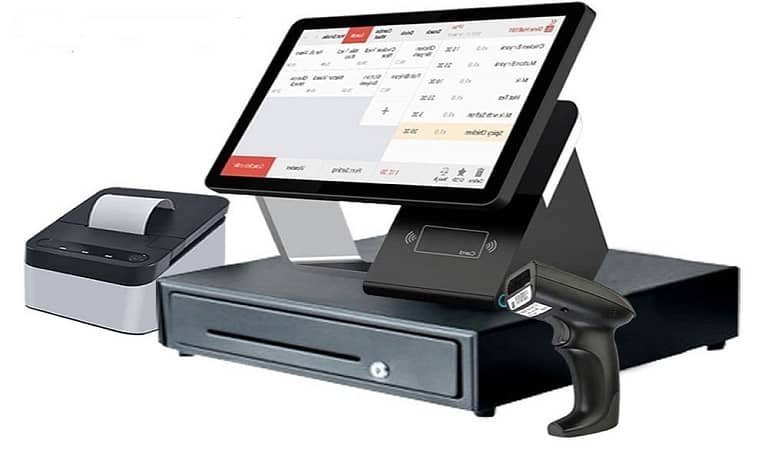 Retail & restaurants
Point of sale with inventory for shops and restaurants.
ePOS system › Retail & restaurants
Laravel ordering system for restaurants, cafés, bars, pizza and sushi: menu admin, delivery areas and order tracking.
Food ordering system ›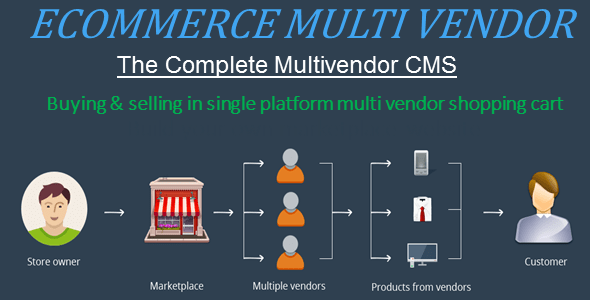 Retail & restaurants
A marketplace where many vendors sell to a wide audience.
Multi-vendor marketplace › Business operations
Cloud HR for SMEs: employee data, attendance, files and payroll records.
Request a demo ›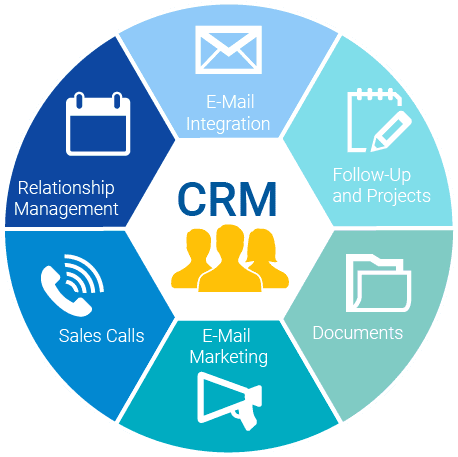 Business operations
Manage existing customers and win new ones through email, mobile and social channels.
Request a demo › Business operations
Billing, accounting and CRM: invoices, reminders, payment confirmation and gateway integration.
Request a demo ›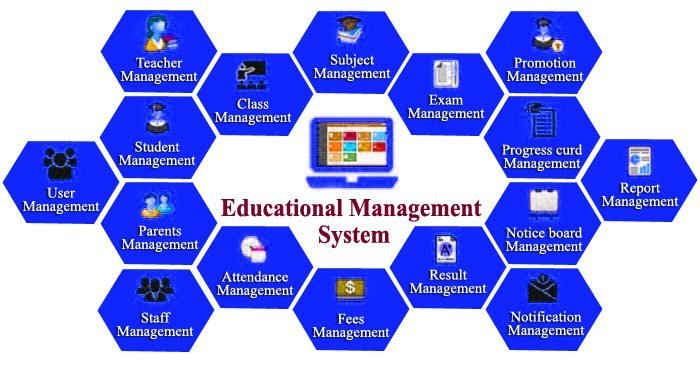 Education
Tools for school administrators and teachers: communication with students and parents and flexible scheduling.
Request a demo › Education
Plan, deliver and assess learning: in-person, hybrid and fully online courses.
Request a demo ›A CMS for newspapers, magazines and publications to maximise reach.
Request a demo ›Spending is rising fast, and good planning decides whether a project pays off.
worldwide software spending forecast for 2026.
Source: Gartner, Feb 2026growth in software spending in 2026, faster than IT spending overall (+10.8%).
Source: Gartner, Feb 2026of IT projects were fully successful: on time, on budget and with the agreed features.
Source: Standish Group CHAOS report, 2020of IT projects were “challenged”: late, over budget or missing features. Clear scope and phased roll-out reduce the risk.
Source: Standish Group CHAOS report, 2020Our ready-made systems sit in the middle: proven modules, adapted to how you work.
| Option | Best for | Fit to your process | Time to go live | Who owns the data and code |
|---|---|---|---|---|
| Generic online tool (monthly subscription) | Simple, common needs | Low: you adapt to the tool | Days | Vendor hosts; you rent access |
| Ready-made system, customised (our hospital, ePOS and ordering systems) | Sector needs with your own rules, branding and reports | High | Weeks | Your data; cloud or on-premise |
| Fully custom software | Unique workflows no product covers | Exact | Months | You own everything |
| Spreadsheets and paper | Very small teams starting out | Manual | Now | You, but scattered and error-prone |
See the data and reporting section for turning system data into dashboards.
Software creates data. These services help you understand it and act on it.
Your key numbers on one clear, filterable screen.
Learn more ›02Clickable decks and animated infographics.
Learn more ›03Market research, business plans and board reports, fully sourced.
Learn more ›04Performance review, SWOT and a prioritised action plan.
Learn more ›See the system with your use case
Modules, users, data
Branding, forms, workflows
Data import and staff training
With ongoing support
| Cloud | On-premise | |
|---|---|---|
| Hosting | Managed online server | Your own server or office network |
| Access | Anywhere with internet | Inside your network (or via VPN) |
| Updates | Applied centrally | Scheduled with your IT team |
| Best for | Multi-site teams, remote access | Strict data or network policies |
Hospital management software can run in the cloud or on-premise. For our other systems, availability varies by product, so ask us which option suits you.
| Project | Typical timeline | What affects it |
|---|---|---|
| ePOS for one shop or restaurant | 1–3 weeks | Product list import, hardware, staff training |
| Online food ordering system | 2–4 weeks | Menu set-up, delivery zones, payment gateway |
| Clinic or diagnostic centre system | 3–6 weeks | Modules chosen, data migration, training |
| Hospital management system | 6–12+ weeks | Departments, integrations, data migration, phased roll-out |
| Dashboards and reports on your data | 2–6 weeks | Number of data sources and reports |
| Fully custom business software | 8–20+ weeks | Workflows, user roles, integrations |
Timelines assume data and feedback arrive on time. Large systems are best launched in phases.
Select modules to build your setup and request a tailored demo.
Booked online or at reception
Patient profile created or updated
Schedule and doctor assigned
Tests and prescriptions
Stored for future visits
Fast checkout for counter and table service.
Track stock levels and products.
Optional connection to your website or ordering system.
Counter, table or online
Payment taken
Inventory adjusts automatically
Printed or digital
Sales and stock insight
| Cash register | ePOS with inventory | |
|---|---|---|
| Stock | Counted by hand | Updates with every sale |
| Reports | End-of-day totals | Sales, products and staff insight |
| Online orders | Separate | Can sync with your website |
| Multiple sites | Separate systems | One view across locations |
Customers order directly from your website.
Add, edit and delete dishes and menu items.
Add, edit and delete the areas you deliver to.
Customers choose where to collect.
Customers follow their order in a portal.
Fast, secure and customisable to your brand.
On your own website
Delivery or pickup
Order notification
Customer portal
Or collected
| Delivery marketplace apps | Your own ordering system | |
|---|---|---|
| Commission | Per-order commission | No per-order commission to a marketplace (payment fees still apply) |
| Customer data | Held by the app | Yours, for repeat orders and offers |
| Branding | Listed among competitors | Your brand, your website |
| Discovery | Large audience on the app | You drive traffic (SEO, social, loyalty) |
| Best use | Reaching new customers | Keeping repeat customers profitable |
Many restaurants use both: apps for discovery, their own system for repeat orders.
Need help deciding? Our business analysis service maps your process first.
Still unsure? Email info@web3matrix.com or message us on WhatsApp.
Tell us which system interests you and we'll arrange a walkthrough.
FREE Ask for a demo homepage first, on us ›FREE Website SEO audit ›